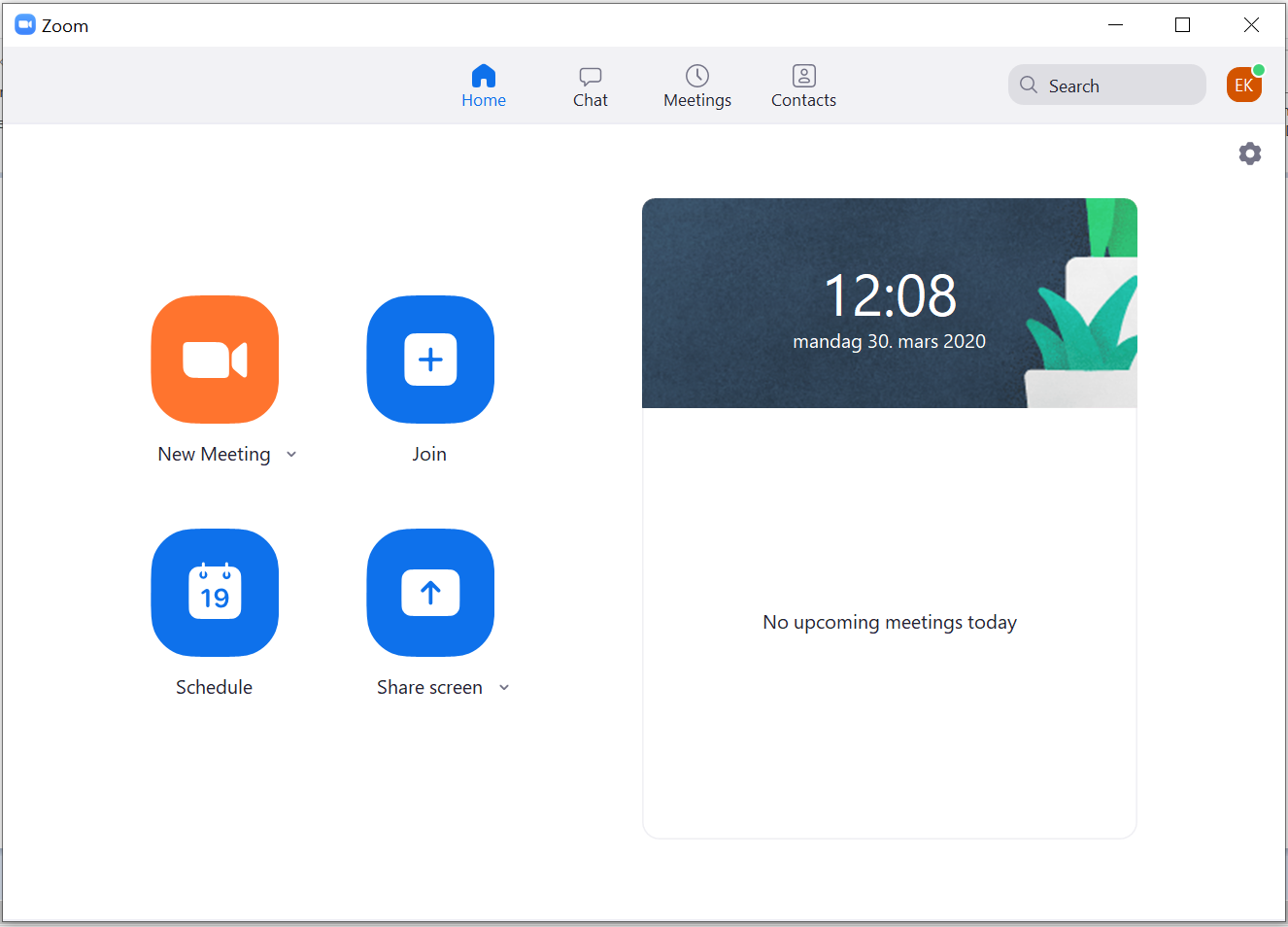
Here's how to get started after installing the program
- Start Zoom, and you are given the choice of logging in or attending a meeting. Choose to log in
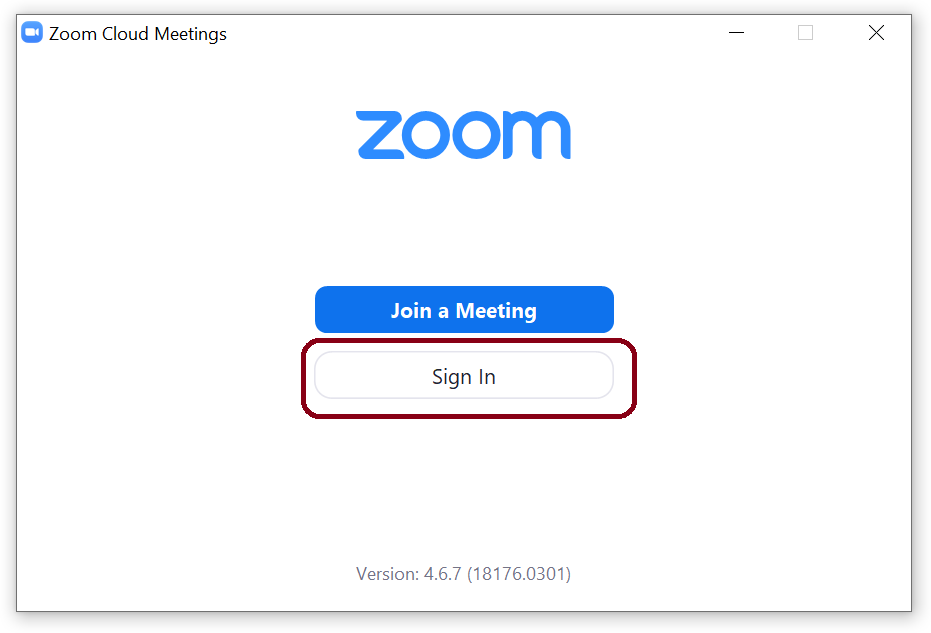
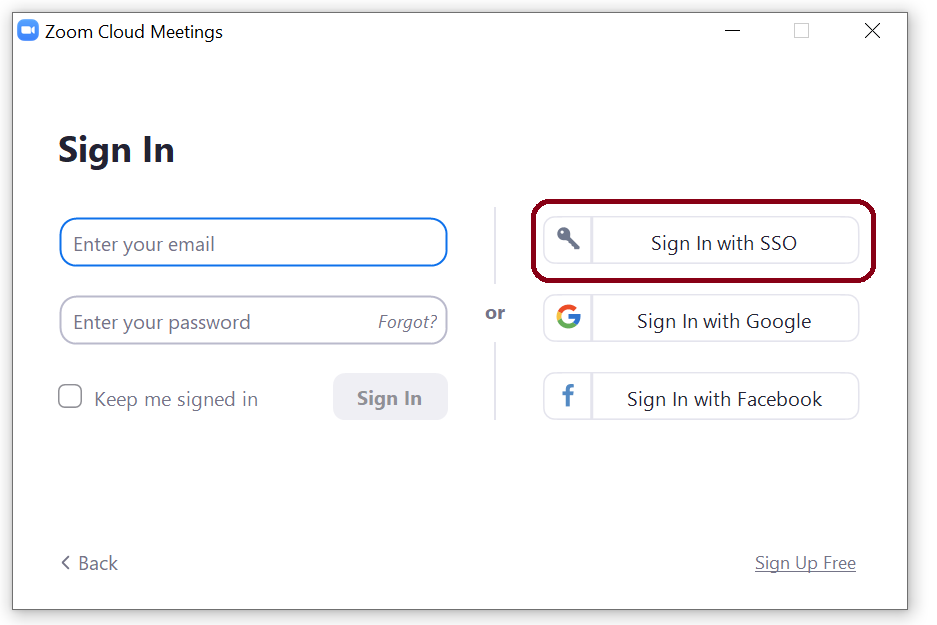
- Click "Sign in with SSO"
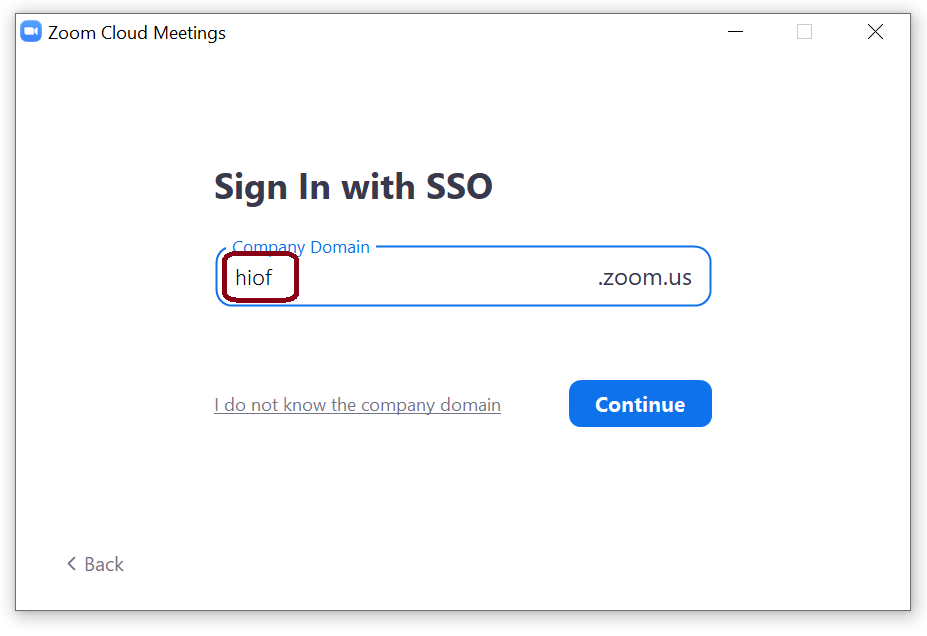
- Enter hiof in the text field for Company Domain
- Follow our guide for signing in with Microsoft 365 here.
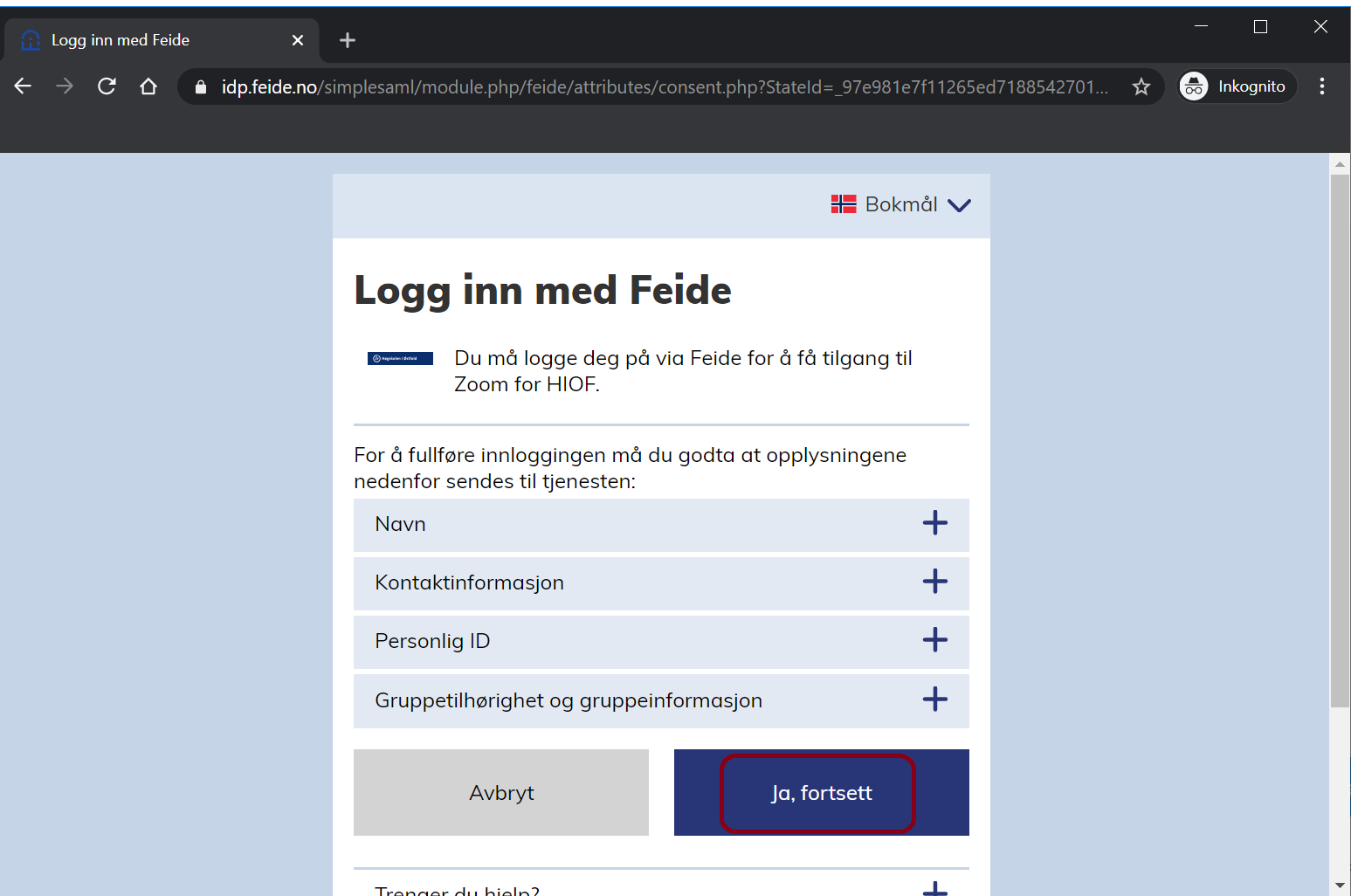
- Click "Yes, continue"
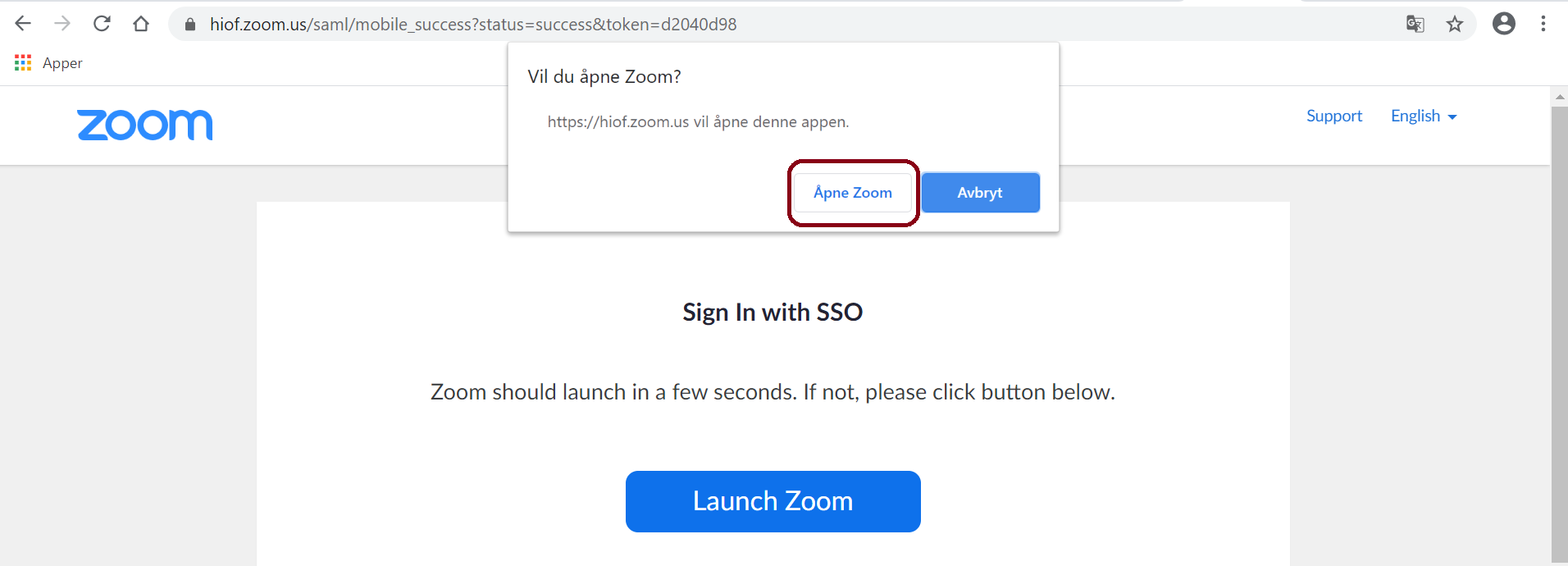
- Click "Open Zoom"
- You're in and ready to use Zoom