Cisco VPN for machines that HiØ operates
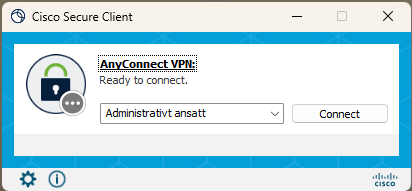
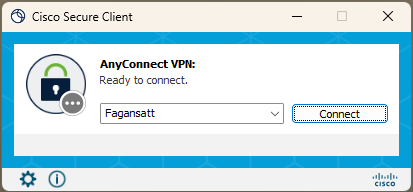
Cisco Secure Client is automatically updated so that you get the choices "Administrativt ansatt" (Administrative staff) and "Fagansatt" (Academic staff).
The first choice that appears is set according to your position.
To switch, you can use the down arrow next to the server field and switch servers manually.
Login should mostly be automatic, but you will occasionally be asked for a 2-factor.
For private machines or HiØ machines where the update has not been installed
To login to Cisco VPN on a private computer Cisco Secure Client must be installed.
If you do not already have Cisco Secure Client, you can download it here:
Download for administrative staff
Download for educational staff
Enter vpn.hiof.no/adm if you are an administrative employee, or vpn.hiof.no/fag if you are an educational employee.
Click Connect, then enter yourUsername@hiof.no, your password and confirm with multi factor authentication (Microsoft Authenticator).
For iPad and iOS devices
To install Cisco VPN on an iOS device, please download and install Cisco Secure Client from AppleStore.
Cisco VPN for Chromebook and ChromeOS devices
To install Cisco VPN on a ChromeOS device,please download and install Cisco Secure Client from Google Play.