eduVPN on mobile devices
Download eduVPN from AppStore / Google Play, and install.
Clients are also available here: https://www.eduvpn.org/apps.html
After installing the eduVPN App, go through the first-time setup:
- Start eduVPN
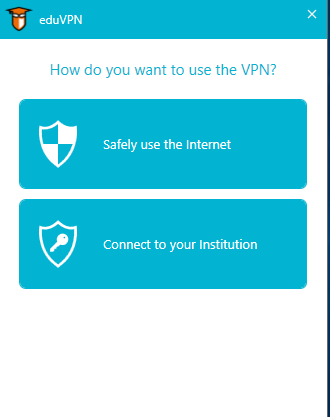
Select "Safely use Internet"
- Select Høgskolen i Østfold/Østfold University of Applied Sciences under institutions. Login with FEIDE.
For employees the text Ansatt is shown at the bottom part of the app window after login. For students the text is Student.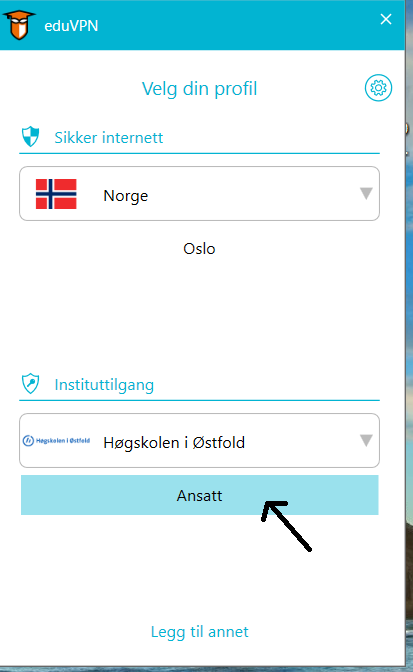
- A web browser opens. Login using FEIDE and Click Approve
- You are now logged in
eduVPN on Windows
Students and employees with a private PC find the client at https://www.eduvpn.org/apps.html
Employees find eduVPN in Firmaportalen/Software Center. If you can't find the program there, please contact IT-vakt.
After installation go through the first-time setup (see above).